


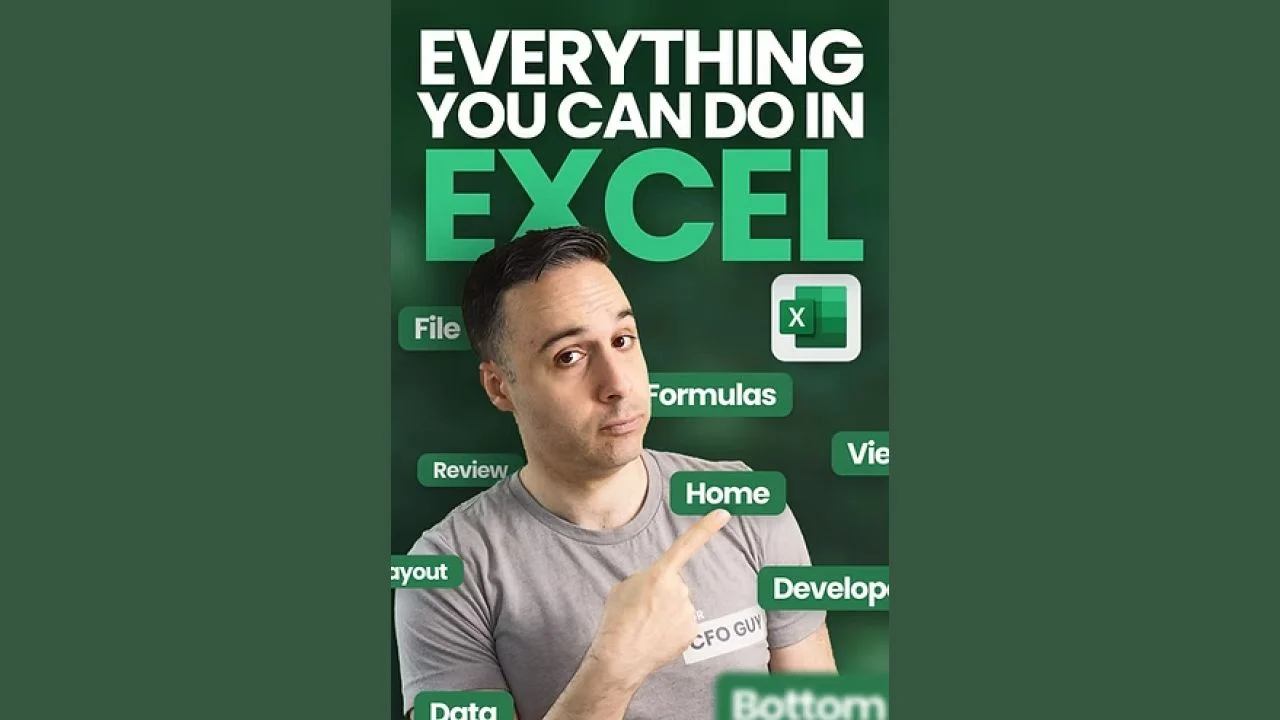
Josh Aharonoff – Everything You Can do in Excel
-
 Last Updated: 01-11-2026
-
 Duration: 6.57 hour(s), 109 video(s)
-
 Size: 2.4 GB
$29
Buy More, Save More!
2 Courses
10% OFF
3 Courses
15% OFF
5 Courses
30% OFF
Why Choose TSCourses?
-
 Learn online or download via Google Drive
-
 All course files are included
-
 Free course updates via email
-
 Seen it cheaper? We'll beat the price
Course Description
Learn Everything You Can Do in Excel with Josh Aharonoff and start buying back your time. This course walks you step-by-step through every major Excel feature, from basic navigation to Power Query, PivotTables, macros, and dashboard design. Lessons are practical, fast, and focused on real work scenarios that traders, marketers, accountants, students, and business owners use every day. If you want to work faster, make smarter decisions with data, and turn Excel into a competitive advantage, this one course gives you the skills to do it.
What Benefits You’ll Gain
This course turns Excel from a slow task into a productivity engine. You’ll learn to automate repetitive work, build clear dashboards, and analyze data with confidence. Short lessons and hands-on homework build muscle memory so you can apply what you learn right away. Expect faster report creation, cleaner workbooks, fewer errors, and more persuasive data presentations.
Specific benefits include time saved by using formulas, PivotTables, and Power Query; better decision-making through clear visualizations and scenarios; and stronger career credentials for interviews and promotions. At TSCourses you also get this course at a steep discount, instant access, and fast support — so you start learning immediately. In short: save money, learn quickly, and turn Excel into a tool that helps you make and keep money.
What Insite This Course
Everything You Can Do in Excel is an in-depth, practical course built around the full Excel interface. Lessons start with file basics and move through the ribbon tabs, formula construction, data tools, and developer features. Each lesson includes video explanations, downloadable practice files, cheat sheets, and homework assignments so you test your skills.
Core topics covered (selected modules) include:
- Course setup and guide: introductions, how to use the course, and a mega file of practice materials.
- Excel basics: What is a spreadsheet, file extensions, versions, workbook navigation, and cell formulas.
- Home ribbon: clipboard, paste special, fonts, alignment, conditional formatting, and styles with many practice tasks.
- Insert ribbon: tables, PivotTables, charts, sparklines, filters, illustrations, and chart dashboards.
- Page Layout and print: themes, page setup, scaling, and board-ready printing.
- Formulas ribbon: function library, defined names, formula auditing, calculation options, and error handling.
- Data ribbon: Get & Transform (Power Query), queries, connections, forecasting, scenarios, and validation.
- Review and View: proofing, comments, protect settings, views, and workbook presentation.
- Developer and Macros: introduction to the Developer tab, recording and writing basic macros, controls, and automation examples.
- Bonuses: function packs for accountants, plus 25 practical Excel tips and tricks.
Each module comes with practice files labeled “Your CFO Guy” and real-world assignments designed to mirror workplace tasks. The course ends with community help and next steps so you can continue building advanced skills.
Why This Course Is Different
This is not a disjointed collection of tricks. The course was designed as a full workflow from file setup to automation. Lessons focus on why a feature matters and how to use it in real work scenarios, not just on how the button works. That practical approach shortens the learning curve and accelerates on-the-job results.
Josh Aharonoff uses a “learn by doing” model. Videos are focused and paired with downloadable files and step-by-step homework. The course balances breadth and depth: it covers nearly every Excel area while providing extra practice on the high-impact features—PivotTables, Power Query, charts, and macros. You’ll leave able to build dashboards, clean messy data, and automate routine tasks.
On TSCourses you also benefit from our USP: big discounts on high-quality courses, instant access, fast delivery, and helpful support. That combination makes advanced training affordable and immediately useful for people on tight budgets who want career impact fast.
Who This Course Is For
This course is perfect for anyone who uses Excel for work or study and wants to be dramatically faster and more accurate. Ideal users include traders, marketers, SEO specialists, accountants, finance pros, business owners, freelancers, and students. It’s designed for beginners who need a full foundation and for intermediate users who want to close gaps and learn advanced tools.
If you feel stuck using only the Home tab, or you waste hours on manual report updates, this course is for you. It’s also ideal for people who want to monetize Excel skills—consulting, freelancing, or improving job performance. Lessons are clear, practical, and focused on results you can show in an interview or on the job.
About Josh Aharonoff
Josh Aharonoff is an experienced finance professional and Excel instructor who teaches practical spreadsheet skills for real business problems. Many course materials reference “Your CFO Guy,” reflecting Josh’s emphasis on finance, accounting, and operational dashboards. His teaching style is clear, hands-on, and aimed at helping learners convert Excel skills into business outcomes.
Josh focuses on creating repeatable processes rather than memorizing formulas. His lessons help professionals build reliable reports, reduce errors, and present numbers that drive decisions. This course reflects that mindset: structured, focused, and tied to workplace examples so you learn tools you will actually use every day.
Frequently Asked Questions
Q: Who is this course best for?
A: Anyone who uses Excel at work or study—from beginners to intermediate users who want a full, polished skill set. Traders, marketers, accountants, and business owners will find direct value.
Q: How long will it take?
A: The course is modular. Expect to spend several hours on fundamentals and additional time on advanced modules. Many learners complete it in 2–6 weeks depending on pace.
Q: What’s included?
A: Video lessons, PDFs, cheat sheets, homework assignments, and downloadable practice files. Bonus content includes accountant functions and 25 tips & tricks.
Q: Do I need the latest Excel?
A: The course covers different versions and common features across modern Excel releases. Power Query and some advanced features may require newer versions for full functionality.
Q: How do I access the course?
A: Buy the discounted course on TSCourses for $29. You get instant access, high-speed downloads, and fast support. Files can be studied directly on Google Drive if you prefer.
Ready to stop wasting time and start using Excel like a pro? Enroll now on TSCourses for the special price of $29. Learn practical, career-changing Excel skills today and turn data into decisions. Click enroll and get instant access.
More courses you might like
Peter Szabo – Source Hacker 2.0 (2022)
WHAT IS THE SOURCE HACKER® SYSTEM 2.0 The Source Hacker® System 2.0 is the “last...

MindValley – Mystic Brain Download Grasp your neurochemicals, and in flip your life Via modern...
If you’re serious about turning forex trading from a confusing side-hustle into a structured, scalable...

Mark Cloutier – The Real Deal Video Strategist Club
Course Curriculum COURSE INTRODUCTION WATCH THIS FIRST(8:23) FREE PREVIEWS 2.2A Requesting Entry to Shopper Fb...